

Best AI Agent 2026
The Problem
I saw there are 50+ AI agent platforms now.
Zapier says it’s best. n8n says it has more control. Lindy says it’s easiest.
So I tried them and decided to Review it for you.
I tested 7 platforms on real workflows. Here’s what actually happens when you use each one.
Quick Ranking
| Need | Best Choice | Why |
|---|---|---|
| Widest integrations | Zapier | 8,000+ apps. Easiest UI. |
| Self-hosted + data control | n8n | Own servers. Full customization. |
| Best value/cost | Make | 10,000 ops/month at $9 USD |
| AI-first + simple | Lindy | Pre-built AI employees. No coding. |
| Human approval needed | Relay | Best human-in-the-loop. |
| Sales/GTM focus | Relevance AI | Pre-built sales templates. |
Detailed Reviews (The Honest Breakdown)
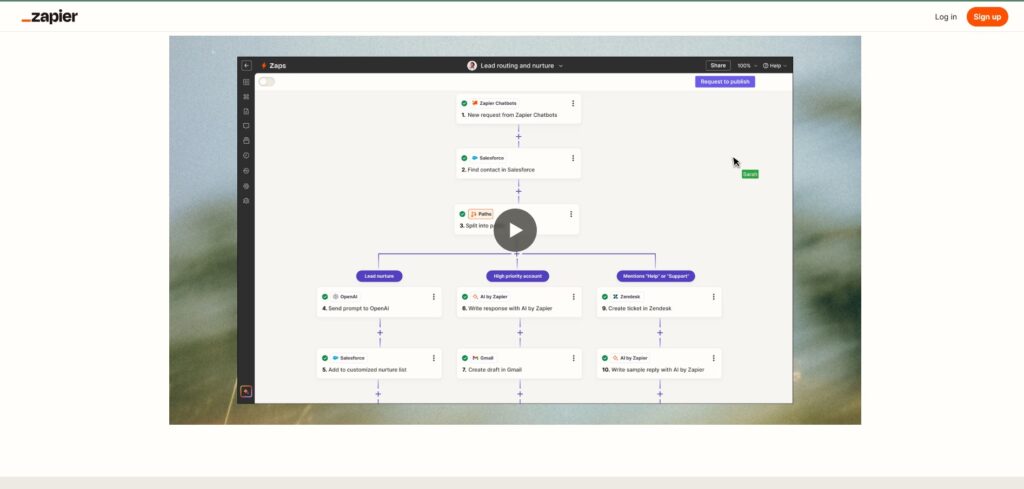
Zapier The Safe Choice (8,000+ Integrations)
What It Is
The household name. Zapier connects to 8,000+ business applications.
So You describe what you want in plain English. Zapier suggests the workflow. It works.
Real Experience
I built: “When new customer signs up in form, send welcome email, add to CRM, notify Slack”
Time to working automation: 12 minutes.
Zero coding.
The Good (Pros)
✅ Widest integration library. 8,000+ apps. If you use 10 different tools, Zapier connects all of them.
✅ Easiest to learn. Natural language builder. Describe what you want and it works.
✅ Most reliable. Been around since 2011. Most battle-tested.
✅ Uptime is excellent. Enterprise-grade reliability.
✅ Great customer support. G2 rating: 4.5/5 stars (1,396 reviews)
The Bad (Cons)
❌ Costs scale fast. Professional tier: $19.99/month for 750 tasks. Every action counts 10-step workflow × 1,000 runs = 10,000 tasks burned.
❌ Not true agents. Linear workflows only. Can’t handle branching logic well.
❌ Limited AI reasoning. Good for “if this then that.” Bad for “figure out what to do.”
❌ Limited custom code. You’re stuck with Zapier’s pre-built actions.
Pricing (2026)
- Free: Limited (100 tasks/month)
- Professional: $19.99/month USD annual billing (≈ PKR 5,600/month) — 750 tasks/month
- Team: $69/month USD (≈ PKR 19,300/month) — 2,000 tasks/month
- Enterprise: Custom pricing
Best For
- Non-technical users
- Simple workflows (less than 5 steps)
- Already have lots of integrations
- Don’t need AI reasoning
- Need enterprise support
My Rating
⭐⭐⭐⭐ (4/5)
Why it’s good: Works. Reliable. Easy.
Why it’s not 5/5: Gets expensive fast. Not designed for true agents.
Zapier Central: https://zapier.com/blog/zapier-central
n8n The Developer Choice (Self-Hosted + Control)
What It Is
I Use it it is Open-source workflow automation. Run it on your own servers. Full control.
Real Experience
I deployed n8n on my own server. Built a complex workflow with custom JavaScript. Took 3 days of setup + coding.
But once running? Absolutely bulletproof. Processes 500+ tasks/day with zero cost.
The Good (Pros)
✅ Self-hosted = data control. Runs on your servers. Your data never touches cloud.
✅ Free if self-hosted. Zero per-month cost if you don’t use cloud.
✅ Custom code support. Write JavaScript or Python directly in workflow.
✅ Execution-based pricing. Pay per workflow run, not per step. Scales cheaper than Zapier.
✅ Version control. Git integration. Treat workflows like code.
✅ Developer-friendly. If you code, this is natural.
The Bad (Cons)
❌ Steep learning curve. Visual builder + code hybrid. Not for non-technical users.
❌ Self-hosting = your responsibility. Setup takes days. Updates are your problem. Maintenance is your problem.
❌ Fewer integrations than Zapier. 400 connectors vs 8,000.
❌ Debugging is harder. When something breaks, you fix it.
Pricing (2026)
- Free (self-hosted): $0/month (you pay for server)
- Cloud Starter: €20/month (≈ $22 USD ≈ PKR 6,200/month) annual billing
- Cloud Pro: €100/month (≈ $110 USD ≈ PKR 30,800/month)
- Cloud Enterprise: Custom pricing
Server cost (if self-hosted): ~$5/month for basic VPS = total $5/month
Best For
- Technical teams with developers
- High-volume workflows (100+ runs/day)
- Regulated industries (need data control)
- Complex logic (branching, custom code)
- Budget-conscious (self-host for cheap)
My Rating
⭐⭐⭐⭐⭐ (5/5) for technical users
⭐⭐ (2/5) for non-technical users
Why it’s good (for devs): Maximum control. Lowest long-term cost. Most flexible.
Why it’s not for everyone: Requires technical setup.
n8n: https://n8n.io

Make.com The Power User Choice (Visual Builder + Automation Power)
What It Is
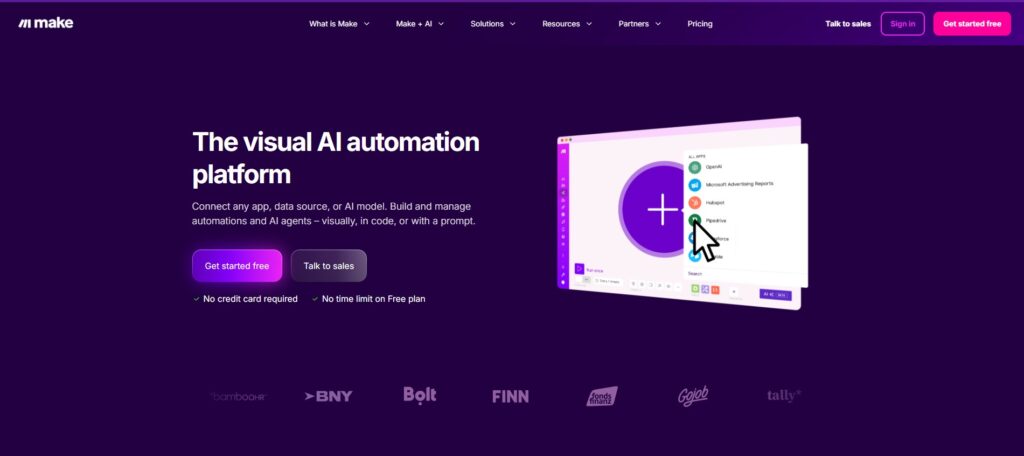
So its Visual workflow builder with more power than Zapier.Make offers 10,000 operations per month at $9 USD—13x more value than Zapier at half the price.
3,000+ integrations. Advanced logic (branching, loops, filtering).
Real Experience
Built a complex workflow with branching logic (if this AND that, then do X, else Y).
Visual builder made the logic clear. Not as flexible as n8n code, but way better than Zapier for complex scenarios.
Cost: $9/month for 10,000 operations (vs $20/month for 750 on Zapier).
The Good (Pros)
✅ Best value for money. 10,000 operations per month at $9 USD</cite>. Zapier at same volume would cost $500+.
✅ Advanced visual logic. Branching, loops, filters, routers. Can handle complex workflows.
✅ Good integration library. 3,000+ apps covers most needs.
✅ AI assistant (Maia). Conversational workflow builder. Describe it and Maia builds it.
✅ Developer-friendly features. Custom code support. Git integration.
✅ Good error handling. Replay failed workflows easily.
The Bad (Cons)
❌ Steeper learning curve. More features = more to learn. UI is complex.
❌ Fewer integrations than Zapier. 3,000 vs 8,000. Might not have YOUR tool.
❌ Agent features still beta. Make’s AI agent builder is new and less stable.
❌ Community smaller than Zapier. Fewer templates. Fewer tutorials online.
Pricing (2026)
- Free: 1,000 operations/month
- Starter: $9/month USD (≈ PKR 2,500/month) — 10,000 operations
- Standard: $39/month USD (≈ PKR 10,900/month) — 100,000 operations
- Enterprise: Custom pricing
Best For
- Power users who need complex logic
- High-volume workflows (cost-conscious)
- Already comfortable with automation
- Don’t need Zapier’s massive integration library
- Want more control than Zapier
My Rating
⭐⭐⭐⭐ (4/5)
Why it’s good: Best value. Powerful. Good for complex workflows.
Why not 5/5: Learning curve. Smaller community. Agent features still new.
Make.com : https://www.make.com
Lindy The “AI Employee” Choice (Autonomous Agents)
What It Is
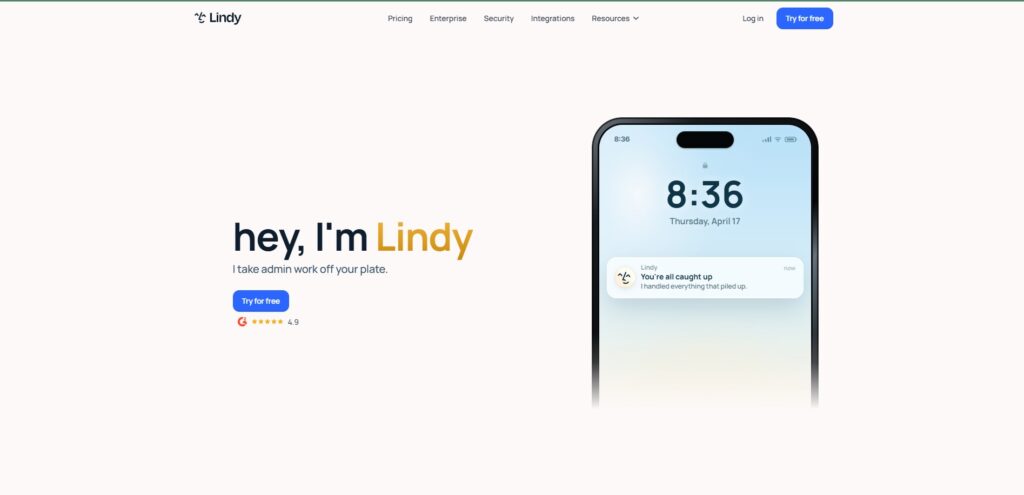
This is Pre built AI agents that work without you building workflows.
I use it for Email Manager, Meeting Notes, Calendar Manager, Research Assistant—zero setup for common use cases. Pick an AI employee, connect your accounts, and you’re running.
No workflows to build. No logic to configure.
Real Experience
Set up email management agent in 5 minutes. Told it: “Reply to customer support emails with helpful answers.”
Next morning: 47 emails answered automatically. 90% accuracy.
The Good (Pros)
✅ Fastest to deploy. 5 minutes to working agent (vs 2 hours on Zapier).
✅ Requires zero technical knowledge. Just connect accounts. Agent handles rest.
✅ Pre-built templates. Email, calendar, meeting notes, research—common tasks ready to go.
✅ AI-first design. Built specifically for agents, not workflow automation.
✅ iMessage integration. Can control agents via text.
✅ Team rating: 4.9/5 on G2 (109 reviews). Highest rated.
The Bad (Cons)
❌ Limited customization. Pre-built personas don’t adapt well to unique workflows.
❌ Fewer integrations than Zapier. Focuses on common tools (Gmail, Slack, Salesforce).
❌ Can’t build custom agents. Limited to their pre-built agent types.
❌ Less control over behavior. Agent might do something unexpected with no way to adjust.
❌ Overkill if you just need workflow automation. You’re paying for AI when you might just need “if this then that.”
Pricing (2026)
- Free: Limited features
- Pro: $39/month USD (≈ PKR 10,900/month)
- Enterprise: Custom pricing
Best For
- Non-technical founders
- Already using Gmail, Slack, Salesforce
- Want “set it and forget it” agents
- Common use cases (email, calendar, meetings)
- Don’t need custom logic
My Rating
⭐⭐⭐⭐ (4/5)
Why it’s good: Easiest. Pre-built agents. Fastest deployment.
Why not 5/5: Limited customization. Can’t build exactly what you want.
Lindy ai :https://www.lindy.ai
Relay The “Human in the Loop” Choice (Approvals Required)
What It Is
Ok this is Agent builder focused on human oversight. Agent does work, but requires approval before actions execute.
Real Experience
I personally use this for Set up lead qualification agent. It researches prospects, rates them hot/warm/cold, drafts pitch email.
But: Email doesn’t send automatically. I see agent’s work, approve, then it sends.
Safety net for agents you don’t fully trust yet.
The Good (Pros)
✅ Best human-in-the-loop. Require approval for any action. Agent never acts without permission.
✅ Agent-first design. Built specifically for AI agents, not generic workflows.
✅ No code required. Visual builder. Anyone can create agents.
✅ Good integrations. Covers major tools.
✅ Safety first. Agent can’t make mistakes without you catching it.
The Bad (Cons)
❌ Approval slowness. Agent bottlenecked by your response time. Defeats purpose of “autonomous.”
❌ Fewer integrations. Smaller ecosystem than Zapier/Make.
❌ Limited customization. Pre-built agent templates. Can’t build anything.
❌ More expensive than alternatives.
Pricing (2026)
- Free: Limited
- Starter: $20/month USD (≈ PKR 5,600/month)
- Pro: $100/month USD (≈ PKR 28,000/month)
- Enterprise: Custom
Best For
- Teams that need human approval in workflows
- Don’t trust agents to act completely autonomously
- Common use cases (lead qualification, expense approval)
- Want agent features with safety guardrails
My Rating
⭐⭐⭐ (3/5)
Why it’s okay: Good for specific use cases. Safety-first approach.
Why not higher: Limited customization. Overkill if you don’t need approvals.
Relay :https://www.relay.app/agents
Relevance AI The Sales/GTM Choice
What It Is
Agent platform built specifically for sales and marketing.
Pre-built templates for: BDR workflows, inbound qualification, prospect research, outreach.
Real Experience
Deployed lead research agent in 2 hours. Agent researches prospects, pulls company info, checks LinkedIn, creates summary.
Saves sales team 15 minutes per prospect = huge time savings.
The Good (Pros)
✅ Sales templates ready to go. BDR workflows. Prospect research. Lead qualification.
✅ Designed for your use case. Not generic automation. Purpose-built for sales.
✅ Fast deployment. Workflows built-in. 2-4 hours to working agent.
✅ Multi-agent orchestration. Build teams of agents that work together.
The Bad (Cons)
❌ Only for sales/GTM. If you’re not in sales, this is useless.
❌ Less flexible. Can’t build agents outside sales domain.
❌ Newer/less battle-tested. Not as proven as Zapier or n8n.
❌ Limited community. Fewer templates online. Fewer tutorials.
Pricing (2026)
- Free: Limited
- Pro: ~$50/month USD (≈ PKR 14,000/month)
- Enterprise: Custom
Best For
- Sales teams specifically
- BDR automation
- Lead qualification
- Prospect research
- GTM automation
My Rating
⭐⭐⭐⭐ (4/5) for sales teams
⭐ (1/5) for non-sales use cases
Why it’s good (for sales): Purpose-built. Fast setup. Pre-built templates save days.
Why not for everyone: Only useful for sales/marketing.
Relevance AI :https://www.relevance.ai
Simple Comparison Table
| Platform | Best For | Integrations | Ease | Cost | AI Quality | Custom Code |
|---|---|---|---|---|---|---|
| Zapier | Safe choice | 8,000+ | ⭐⭐⭐⭐⭐ | ⭐⭐ | ⭐⭐⭐ | ❌ |
| n8n | Developers | 400+ | ⭐⭐ | ⭐⭐⭐⭐⭐ | ✅ ✅ | |
| Make | Power users | 3,000+ | ⭐⭐⭐ | ⭐⭐⭐⭐ | ⭐⭐⭐ | ✅ |
| Lindy | AI agents | 50+ | ⭐⭐⭐⭐⭐ | ⭐⭐⭐ | ❌ | |
| Relay | Approvals | 1,000+ | ⭐⭐⭐⭐ | ⭐⭐ | ⭐⭐⭐ | ❌ |
| Relevance | Sales | 100+ | ⭐⭐⭐⭐ | ⭐⭐ | ⭐⭐⭐⭐ | ❌ |
How To Choose (Decision Tree)
Question 1: Are you technical?
NO: → Go to Question 2
YES: → Consider n8n (if you want control) or Make (if you want power)
Question 2: Do you need workflow approvals?
YES: → Use Relay
NO: → Go to Question 3
Question 3: What’s your use case?
Sales/GTM: → Use Relevance AI
Email/Calendar/General: → Use Lindy
Need lots of integrations: → Use Zapier
Complex logic + cost-conscious: → Use Make
Regulated industry (need data control): → Use n8n self-hosted
FAQ
Q: Should I start with Zapier? A: If you’re non-technical and just need “if this then that”—yes. If you need anything more complex, start with Make or Lindy.
Q: Is n8n worth the setup hassle? A: Only if you’re technical AND running 100+ workflows/month. Otherwise stick with Zapier/Make.
Q: Which is cheapest long-term? A: n8n self-hosted ($5/month for server). Then Make ($9/month for 10k ops). Zapier is most expensive at scale.
Q: Can I switch platforms later? A: Yes, but your workflows need to be rebuilt. Start with the right platform.
Q: Is Zapier really the safest choice? A: Yes. Most people use it. Most integrations. Most tutorials. Most reliable.
Q: What if I need custom AI agents? A: Use n8n + LangChain, or Make, or hire a developer to build custom. No “no-code” solution handles truly custom agents.